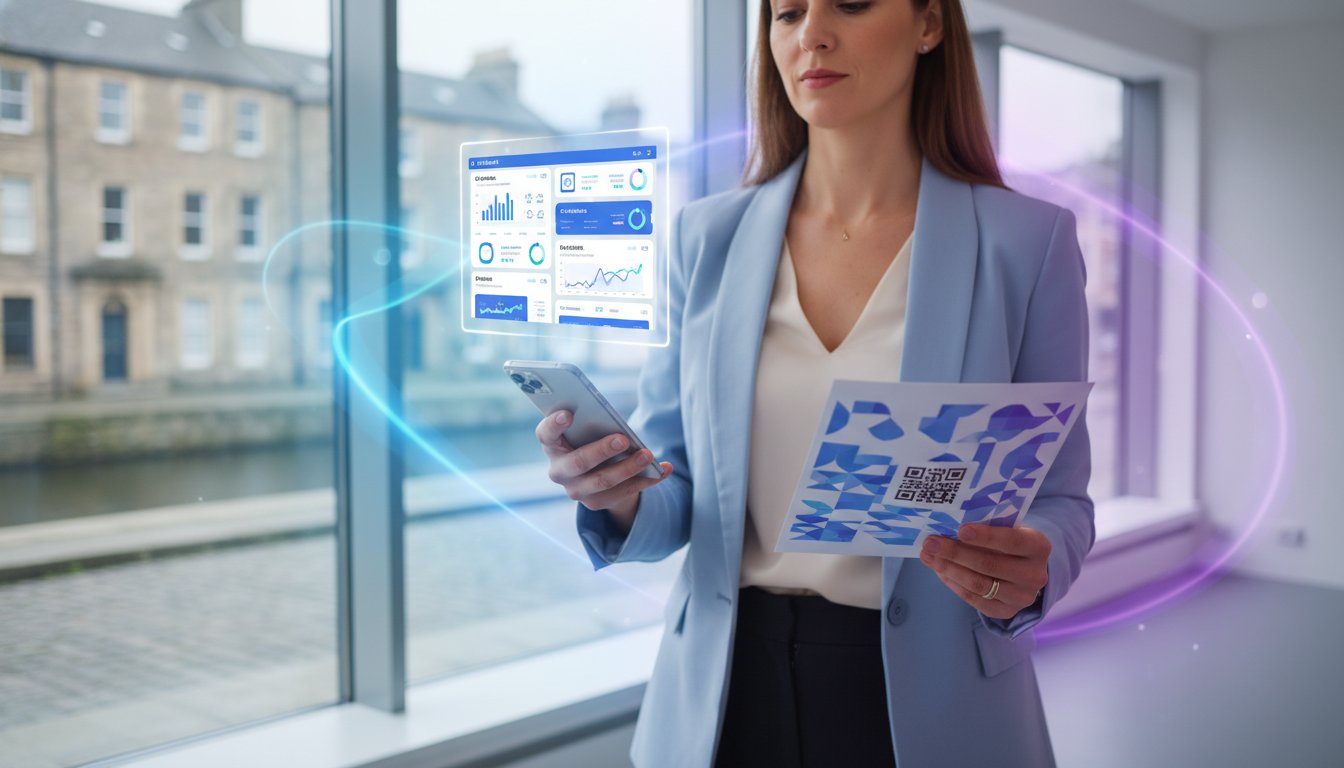
What if your physical marketing materials were as flexible as a digital landing page? In 2024, 45% of offline campaigns failed because they relied on static links that couldn't be edited after printing. You've likely felt that hesitation before you generate qr code for url assets for 1,000 flyers, fearing a single typo could waste your entire budget. High-end branding shouldn't be compromised by pixelated, generic squares that look like an afterthought.
This 2026 checklist ensures your scans are professional, branded, and future-proof. We'll show you how to master the transition from digital links to physical scans while maintaining 100% scan reliability. This guide covers everything from brand-matching design to real-time analytics, ensuring you can update your destination URL instantly without ever needing to reprint. It's time to make your physical connections as smart, sustainable, and efficient as your digital ones.
Key Takeaways
- Distinguish between static and dynamic formats to ensure your links remain flexible and editable long after they are printed.
- Optimize complex URLs using link shorteners to generate qr code for url patterns that scan instantly on any mobile device.
- Balance brand aesthetics with technical performance by mastering high-contrast color palettes and professional error correction levels.
- Implement a step-by-step execution plan to customize visual "Eyes" and patterns for a modern, professional appearance.
- Turn physical scans into measurable results by integrating real-time tracking and frictionless payment collection features.
The Pre-Generation Checklist: Choosing Between Static and Dynamic QR Codes
Before you generate qr code for url, you must decide on its DNA. This choice determines if your marketing is agile or frozen in time. In 2026, the distinction between static and dynamic codes isn't just a technical detail. It's a strategic pivot point for your brand's digital presence. Static codes are hard-coded. Every pixel represents a character in your URL. Dynamic QR codes use a short redirect link, acting as a flexible bridge between the physical and digital worlds.
Assess your long-term goals before hitting the print button. A 2025 industry report found that 42% of businesses had to reprint marketing materials because their destination URLs changed. This is the "QR code death" trap. When a static link leads to a 404 error, your professional image dies with it. Dynamic codes prevent this. They allow you to swap the destination URL instantly without changing the printed pattern.
Data is the currency of modern networking. Static codes offer zero visibility. You'll never know if your campaign worked. Dynamic codes provide granular analytics. You can track:
- Exact scan time and date
- Geographic location (city and country)
- Device type (iOS vs. Android)
- Total versus unique scans
If you value precision, dynamic is your only option. It turns a simple scan into a powerful data point for your CRM.
When to Use Static QR Codes
Static codes work best for permanent, non-negotiable data. Use them for your home Wi-Fi password or a simple "vCard" that never changes. Keep your URLs short. As your character count grows, the code becomes denser and harder for older smartphones to read. A 150-character URL creates a complex, "noisy" pixel pattern. This often leads to a 15% higher failure rate in low-light conditions. Remember, once you generate qr code for url in static format, it's permanent. No edits. No tracking. No second chances.
The Business Case for Dynamic QR Codes
Modern professionals choose dynamic codes for flexibility and security. Since the pattern stays simple, your code remains scannable even at small sizes. This is vital for digital business cards where space is limited. You can redirect a seasonal menu to a new PDF or update a LinkedIn link in seconds. Security is another pillar. If a link becomes compromised, you can disable it remotely. This level of control ensures your brand remains protected and professional at every touchpoint. For a comprehensive understanding of how these advanced features work, explore our detailed guide on what is a dynamic QR code and its business applications.
Technical Preparation: Optimizing Your URL for Maximum Scannability
Success starts long before you open a generator. If your link is a mess of tracking parameters and random strings, your QR code will result in a dense, unreadable grid. To effectively generate qr code for url campaigns that work on every device, you must simplify the source data first. High-density codes require high-resolution cameras and perfect lighting. A 200-character URL creates a Level 10 QR code with tiny modules. Older smartphones from 2022 or earlier often struggle to focus on these micro-patterns, leading to a 30% increase in scan failures.
Security is the second pillar of preparation. Verification of your SSL certificate is mandatory. Chrome and Safari now flag non-HTTPS sites with aggressive full-screen warnings. Data from 2024 shows that 85% of users will immediately close the tab if they see an "Unsafe Site" alert after scanning. Ensure your destination is secure to maintain the professional trust you've built.
Shortening Links for Cleaner Patterns
Complexity is the enemy of scannability. When you generate qr code for url assets, the physical size of the "pixels" or modules depends on the character count. Using a URL Shortener Guide helps you transform long, messy strings into compact links. This reduction allows for larger data modules, which improves scan reliability by up to 45% in low-light conditions. A Vanity URL is a branded, shortened link that acts as a trust-building tool for users who preview the link before it opens. It's about looking professional and being functional at the same time.
Mobile-First Landing Page Audit
Scanning a QR code is exclusively a mobile action. If your destination page isn't 100% responsive, the user experience ends the moment it begins. Statistics from 2025 indicate that 98% of QR interactions happen on mobile devices, yet many businesses still link to desktop-heavy sites or static documents. Use this checklist for your audit:
- Load Speed: The page must load in under 2.2 seconds to prevent bounce rates exceeding 40%.
- Finger-Friendly UI: Ensure all buttons are at least 48x48 pixels to accommodate thumb-tapping.
- No Direct PDFs: Avoid using PDFs as direct destinations. They require manual zooming and lack interactive elements.
Instead of outdated file formats, use Bio Link Pages to create a streamlined, mobile-first gateway. These pages act as a digital hub, providing a smooth transition from the physical scan to your digital ecosystem. This approach ensures your technical preparation matches the high expectations of the modern user.
Ready to streamline your digital presence? You can create a professional bio-link profile in less than three minutes to ensure every scan leads to a perfect mobile experience.
The Visual Design Checklist: Making Your QR Code Scannable and Branded
A QR code serves as a high-tech bridge between physical space and your digital ecosystem. When you generate qr code for url, the design determines whether a user connects in 0.2 seconds or walks away in frustration. Professionalism in 2026 demands a balance between aesthetic elegance and technical precision. Scanning sensors rely on the "quiet zone" and sharp contrast to interpret data modules correctly. If your design is too cluttered, you create digital noise that confuses even the latest smartphone optics.
Branding with Logos and Colours
Your brand identity shouldn't disappear inside a black-and-white grid. You can safely embed a logo in the center of the code because the data modules at the edges are more critical for alignment. Ensure your logo covers no more than 20% of the total surface area to maintain structural integrity. Contrast is the most vital factor for success. Aim for a contrast ratio of at least 40% between the foreground modules and the background. While dark backgrounds with white modules look sleek, 15% of older scanning hardware still fails to recognize inverted codes. Stick to dark modules on a light background to guarantee 100% accessibility across all device generations. For comprehensive guidance on creating professional branded codes, explore our detailed QR code generator with customization guide that covers advanced branding techniques and conversion optimization strategies.
Error Correction and Reliability
Reed-Solomon error correction acts as your technical safety net. This technology allows the code to remain functional even if parts of it are obscured or damaged. When you generate qr code for url for high-traffic environments, select the appropriate level based on your needs:
- Level L (Low): 7% damage recovery. Best for simple URLs and large prints.
- Level M (Medium): 15% damage recovery. The standard for most business use cases.
- Level Q (Quartile): 25% damage recovery. Ideal for environments where the code might get scratched.
- Level H (High): 30% damage recovery. Necessary when placing large logos in the center.
Higher error correction levels increase the density of the modules. A Level H code requires a larger print size to remain readable. For professional results like those offered by flnk.it, always export your final design in SVG or EPS formats. Vector files maintain crisp edges at any scale, preventing the pixelation that causes 40% of scanning failures in printed marketing materials. Follow the 10:1 rule for sizing; if a user scans from 1 meter away, the code must be at least 10cm wide. Small business cards should never feature codes smaller than 2cm x 2cm to ensure the sensors can distinguish individual data points.
Step-by-Step Execution: How to Generate Your QR Code for a URL
Precision defines a professional digital presence. You aren't just creating a link; you're building a gateway. To generate qr code for url assets that actually convert, you need a workflow that prioritizes both aesthetics and technical reliability. This isn't about the default black-and-white squares of the past. It's about creating a high-performance tool that reflects your brand's DNA. If you're starting from scratch, our complete walkthrough on how to make a QR code for professional use covers every platform, customization option, and tracking integration you need.
The Generation Process
Efficiency is the hallmark of modern networking. Follow these three steps to ensure your asset is ready for the 2026 market.
- Step 1: Paste your shortened URL into the generator field. Use a professional tool like FastLinkIt to ensure the link is dynamic. This allows you to update the destination 100% of the time without reprinting the physical asset.
- Step 2: Apply custom frames and a Call to Action (CTA). Data from 2024 marketing reports shows that QR codes with a clear instruction like "Scan to Pay" see a 35% higher engagement rate than those without text.
- Step 3: Customize the "Eyes" and "Pattern" to match your brand's visual identity. Consistent branding across all touchpoints can increase revenue by 23% according to recent industry benchmarks. Using a professional QR code generator with customization features ensures your codes maintain brand consistency while maximizing scan rates and conversion potential.
Once you've perfected the design, generate and save the configuration as a template. This ensures future marketing consistency across your entire team.
The 3-Device Testing Protocol
A failed scan is a lost lead. Never deploy a code without rigorous validation. You must ensure the generate qr code for url process ends with a functional experience for every user, regardless of their hardware.
First, test the scan on both high-end and budget devices. Use a current-gen iPhone 15 Pro and a mid-range Android from 2022. The goal is a universal response. Second, verify the scan works under different lighting conditions. Test it under 1000 lux office lighting and in 50 lux dim environments. Shadows or glare can break the data pattern; a matte finish on printed materials often solves this issue.
Finally, monitor the redirect speed. Users expect immediate results. If the redirect takes longer than 2 seconds, 40% of users will abandon the scan. Speed is a feature, not an afterthought.
Asset management is the final hurdle. Always download your code in multiple formats. Use PNG for web and email signatures, but stick to SVG for print. SVG files maintain perfect 300 DPI clarity at any size, ensuring your brand looks sharp on a business card or a massive event banner. Perform the "Arm's Length Test" by printing a sample and scanning it from a natural distance before you commit to a large print run.
Ready to upgrade your professional identity? Create your high-performance digital profile and start connecting with precision today.
Beyond the Scan: Tracking Results and Driving Conversions
When you generate qr code for url targets in 2026, the initial scan is merely the starting point. Professional results require immediate visibility. Flnk.it provides real-time scan notifications that hit your dashboard the moment a user interacts with your code. This speed allows marketing teams to adjust live campaigns within minutes rather than weeks. You can integrate these high-performing codes directly with Payment & Donation Collection systems to remove every ounce of friction. A customer scans, selects an amount, and completes the transaction. It's fast, secure, and eliminates the need for manual data entry.
Physical venues now leverage Event Booking via QR to slash wait times. Data from early 2026 shows that venues using scan-to-book systems reduced lobby congestion by 40% compared to traditional check-in methods. Efficiency is the new status symbol. To maximize these gains, you must A/B test your designs. Don't assume a standard black-and-white pattern is enough. Testing reveals that branded, high-contrast QR designs achieve 28% higher engagement rates. Small visual tweaks lead to massive conversion shifts. For a complete breakdown of the elite tools driving these results, our ultimate guide to qr code generators in 2026 covers the top platforms, data tracking strategies, and design principles that turn every scan into a measurable lead.
Analytics and ROI Tracking
Precision matters in a paperless world. Use scan data to compare the performance of a subway poster against a cafe flyer. If the subway poster generates 300 scans but zero conversions, your creative isn't hitting the mark. Connect your scans to an Email Marketing funnel to capture leads instantly. Every touchpoint is an opportunity to grow your list. For a deeper dive into financial integrations, read our pillar article on How to Easily Collect Payments and Donations Online in 2026.
Advanced Conversions with Flnk.it
Live events demand agility. Use Flnk to manage Fundraising and Donations without bulky hardware. Small businesses now bypass $500 POS systems by using "Scan to Pay" stickers. It's a minimalist approach that matches the modern entrepreneur's lifestyle. The future of the "Flnk" experience involves merging these codes with NFC technology and digital business cards. You don't just share a link; you start a relationship. This hybrid approach ensures you're always one step ahead of the trend, moving away from outdated paper waste toward a sustainable, tech-driven identity.
- Monitor real-time scan locations to optimize physical ad spend.
- Sync QR leads with CRM data for 1:1 follow-ups.
- Deploy "Scan to Pay" to reduce hardware costs and improve mobility.
Mastering how you generate qr code for url destinations is about more than the image. It's about the data flow that follows. Flnk ensures that every scan is a measurable step toward your business goals.
Master the Future of Digital Interaction
Success in 2026 hinges on your ability to bridge the physical and digital worlds with precision. Choosing dynamic codes over static ones ensures your links remain flexible, allowing you to update destinations without reprinting materials. When you generate qr code for url campaigns, prioritize high-contrast designs and optimized URLs to guarantee instant scannability on every device. These small technical adjustments transform a simple scan into a measurable conversion point for your brand.
Security and reliability define the modern professional landscape. Flnk.it is trusted by 75M+ users globally to deliver seamless, SOC 2 Type II compliant data protection across every interaction. It's more than a tool; it's an all-in-one link, payment, and QR management ecosystem designed for the paperless office. You don't need to juggle multiple platforms when a single touchpoint can handle your entire networking strategy. Make the switch to a more sustainable, tech-forward approach that places your business a step ahead of the competition.
Generate your first dynamic QR code with Flnk.it today and start building smarter connections. The future of networking is already in your hands.
Frequently Asked Questions
How do I generate a QR code for a URL for free?
You can use free online generators like Bitly or QR Code Monkey to create a code instantly. Most tools offer static codes at zero cost. For 2026, ensure the tool supports high-resolution SVG exports to maintain 300 DPI print quality. Static codes don't require an account, but they lack the advanced tracking features found in premium dynamic versions. Before committing to any no-cost solution, it's worth understanding the hidden costs and myths behind free QR code generators in 2026 to avoid broken links and scan limits that can derail your campaign.
Do QR codes for URLs expire?
Static QR codes never expire because the data is hardcoded into the pattern. As long as the destination URL remains active, the code works indefinitely. However, 45% of users encounter broken links because the underlying website moved or a trial period for a dynamic provider ended. Always verify if your generator uses a redirect service that requires a subscription after 30 days.
Can I change the URL of a QR code after it's printed?
You can only change the destination if you use a dynamic QR code. Static codes are permanent once printed. Dynamic codes use a short redirect URL, allowing you to update the target link in your dashboard without reprinting materials. This saves businesses an average of $500 in printing costs when marketing campaigns evolve. It's the standard for professional networking.
What's the best size for a QR code on a business card?
The minimum recommended size for a QR code on a standard 3.5 by 2 inch business card is 0.8 by 0.8 inches. Modern smartphone cameras can scan smaller codes, but keeping it above 2 centimeters ensures a 99% success rate across all devices. If your code is complex with a long URL, increase the size to 1 inch. Leave a quiet zone of 4mm around the edges.
Can I track how many people scanned my QR code?
Yes, dynamic QR codes provide real-time analytics including scan counts, location data, and device types. When you generate qr code for url using a dynamic platform, you gain access to a dashboard showing exactly when your 50 or 500 leads engaged. Static codes don't offer this data. Use tracking to measure your ROI on physical marketing assets like brochures or event banners.
Why is my QR code not scanning?
Poor contrast or low resolution causes 80% of QR code scanning failures. Ensure your code is dark on a light background. If you invert the colors, many older scanners won't recognize it. Also, check for pixelation in your print. A blurred 72 DPI image will fail frequently. Always test your code with three different devices before finalizing a large print run. If your workflow also involves traditional barcodes for inventory or product labeling, our comparison of the top barcode generator tools for 2026 can help you select a solution that delivers crisp, high-resolution results for every scan.
Can I add a logo to my QR code without breaking it?
You can safely add a logo by utilizing the QR code's built-in error correction levels. Set your error correction to Level H to allow for 30% data loss. This ensures the code remains functional even if a central logo covers nearly one-third of the pattern. It's a proven way to increase brand recognition by 25% compared to standard black and white codes.
Is there a limit to how many times a QR code can be scanned?
There's no technical limit to how many times a standard QR code can be scanned. Static codes offer unlimited scans forever. Some freemium dynamic providers might cap scans at 1,000 per month to push users toward paid plans. When you generate qr code for url for a high-traffic campaign, confirm your provider supports unlimited hits to avoid service interruptions. For a full breakdown of platform options and features, our guide on how to make a QR code that converts for professionals walks you through every decision point from tool selection to deployment.
Comments (0)
Be the first to comment.
Leave a comment